Capture web pages with the Chrome extension or any app with Daguerre
for macOS, Windows and Linux. Both share annotation tools, offline
text recognition and searchable PDFs, with separate local histories.
4 capture modesOn-device text recognition0 trackersmacOS · Windows · LinuxManifest V3
Daguerre editor
Named after Louis Daguerre, whose 1839 daguerreotype fixed the first
practical photographs on silver-plated copper.
Browser extension
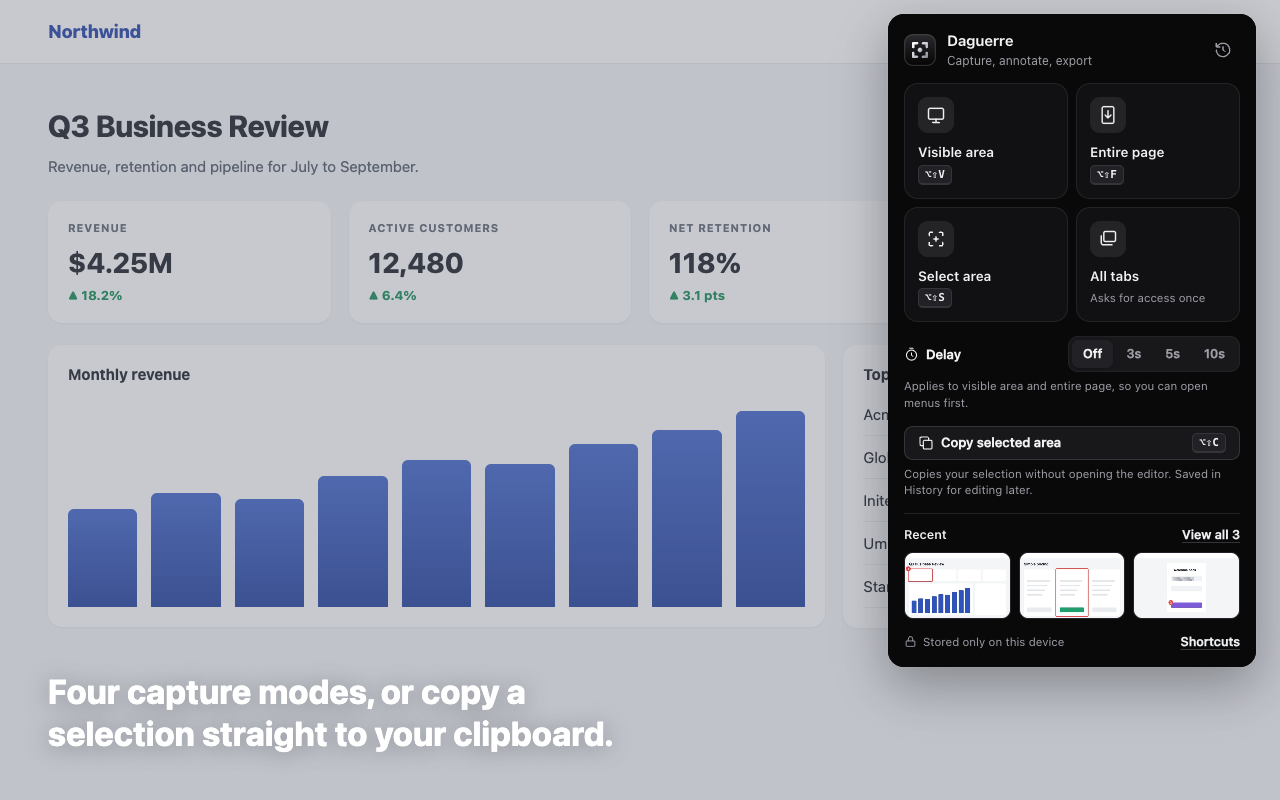
Four ways to freeze the moment.
Capture from the popup, a keyboard shortcut or the right-click menu.
Copy selected area sends a selection straight to the clipboard and
keeps it in History, without opening the editor.
northwind.app/report
ReportDocsPricingInbox
Capturing…
The popup includes delay, progress and cancellation controls.
Selection and scrolling scripts run only when requested; All tabs asks
for optional site access. No persistent content script or tabs
permission is needed. Every GitHub Release includes a pre-built
extension dist bundle: extract it, then load its dist folder at
chrome://extensions in Developer mode.
Editor
Mark it up. Hide what matters.
Pixelate private details, add Numbered Steps, Text, Arrows or
Shapes, and crop or highlight a screenshot. In the app, every tool
icon has a persistent name underneath it, with no hover required.
The miniature below offers a selection of these tools.
The full editor also includes crop handles, text, ellipses, pen,
undo history and zoom. Copy the image instantly or export PNG, JPEG,
WebP, PDF and Searchable PDF.
Copy Text
Pixels in, words out.
Daguerre reads the text in any screenshot right on your device, then
copies it or turns your export into a searchable PDF. This demo
simulates the scan.
TOTAL DUE .................. $5,628.70
Due by November 15, 2026
Recognized text
Press Copy Text to read the invoice.
English · Offline · Selectable in searchable PDFs
Export
Every format, one click away.
PNG
Full quality
Lossless, pixel for pixel.
JPEG · WebP
Compressed
Quality slider, half size, live file-size estimates.
PDF
Searchable PDF
A4 pages with an invisible, selectable text layer.
⌘C · ⌘P
Clipboard and print
Copy the image or its text, or print it.
Desktop app
Any app, any screen.
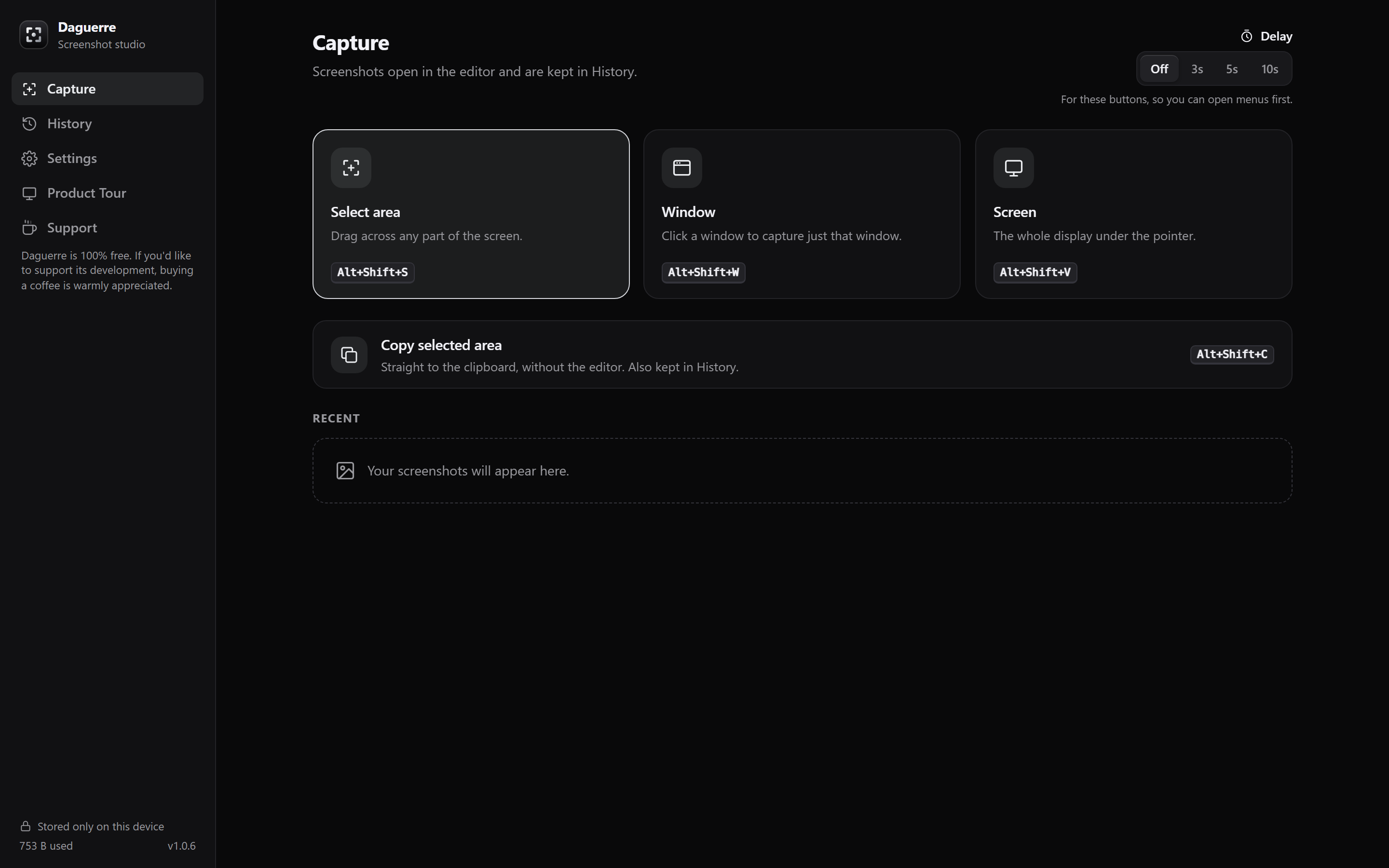
The same editor, History, Copy Text and export for macOS, Windows
and Linux. Four capture workflows cover a selected area, a window, a
screen and direct clipboard copying. Global shortcuts and the menu
bar or system tray keep capture close at hand.
Select area. Freeze the display, drag a region and
open the result in its own editor window.
Window. Pick a window and annotate the capture.
Window picking requires macOS, Windows or Linux X11.
Screen. Capture the display under the pointer. On
Wayland, the screenshot portal captures the whole desktop.
Copy selected area. Select a region and copy its
image immediately, while retaining it in local History for later
editing.
A tour through the real workspace
The 14-stage driver.js onboarding tour previews all four capture
workflows, opens an in-memory sample in the real editor, simulates
tool toggling, previews the export menu and switches themes live.
Replay it with Product Tour, directly below Settings in the left
sidebar. Leaving the tour restores your view and appearance without
writing sample captures, clipboard contents or saved preferences.
Liquid Glass belongs exclusively to macOS, with an adjustable glass
blend. Windows and Linux have dedicated Light and Dark themes, plus
System to follow OS appearance. Solid theme choices also apply to
editor windows.
.dmg
macOS
Universal Apple silicon and Intel app, with macOS-only Liquid
Glass.
.exe · .msi
Windows
64-bit installer or MSI package, with dedicated Light and Dark
themes.
AppImage · .deb · .rpm
Linux
Light and Dark themes. X11 capture or the Wayland screenshot
portal.
Signed
Updates
Check from Settings, or enable automatic update checks at launch
and daily.
No accounts or analytics. Each app keeps its own local History;
screenshots are never uploaded. Optional desktop update checks
contact GitHub, not a screenshot service.
0
Servers
Captures, edits and recognized text stay in IndexedDB on your
device.
0
Trackers
No analytics or advertising, and no remote code: everything ships
inside the extension.